


Piano Rush: Magic Rhythm
3.515.00 Reviews
App Specs
- Version
- 1.3.2
- Updated On
- License
- Free
- Downloads
- 10,000,000+
- Developer
- Dream Tiles Piano Game Studio
- Categories
- Music
- Platform
- Android
Screenshots

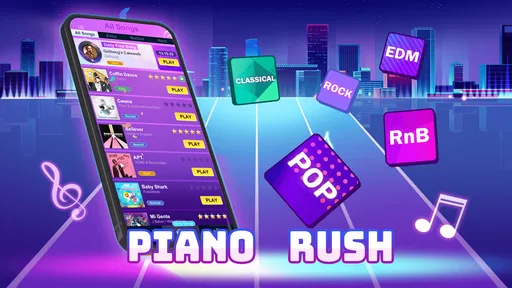
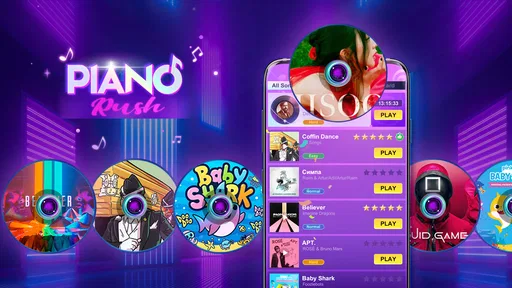
 Analysis by AppCompare
When I want a quick rhythm game rather than a full music lesson, I look for something I can pick up in a few minutes and put down without a setup routine. Piano Rush: Magic Rhythm is built around that kind of short-session appeal: you follow moving piano tiles and try to keep your taps in time. It suits casual play, but the fast reactions it asks for mean it is not the same thing as learning to play an instrument.
What the purchase details mean in practice
The game is free to install, while optional in-app purchases range from $0.99 to $39.99 per item. That gives you a clear reason to check the purchase options before settling in, especially if you share a device or want to keep spending tightly controlled. The existence of purchases does not, by itself, tell me what they buy or whether they affect progress, so I would not assume that paying is necessary—or that it can be ignored—without checking the in-game prompts.
It is made by Dream Tiles Piano Game Studio and is listed as a music game. Its audience rating is Mature 17+, a detail worth considering before installing it for a younger player. The game is free, but that does not make it suitable for every household: the age guidance and purchase controls matter just as much as the initial cost.
Quick sessions, with a real reflex test
The appeal is easy to understand: a song gives your hands an immediate task, and a missed beat can make a simple-looking run feel demanding. I would use it for a short break, a commute when I can safely look at my phone, or a few rounds while waiting for an appointment. It is less suited to moments when I need to listen closely to someone or keep my attention on my surroundings.
One useful way to approach a new run is to treat the first attempt as a timing check rather than a score chase. Watch how the tiles move, notice whether the rhythm feels comfortable, and only then push for speed. This is a practical habit for games built around rapid taps: it helps separate a song that is unfamiliar from a difficulty level that is simply too intense for a relaxed session.
For a realistic everyday example, imagine having ten minutes before a meeting. I would play a brief round, stop before I am tempted to rush through one more, and leave the game closed when the meeting begins. That sounds obvious, but leaderboard pressure and repeated attempts can make a compact game stretch beyond the break you intended. If you need a quiet way to unwind, a slower music app or a puzzle with no timing demands may be a better fit.
Progress without confusing it with musical practice
Getting better at tapping in time can feel satisfying, but it is a narrow kind of progress. A higher score can reflect sharper reactions and familiarity with a particular pattern; it does not show that you have learned piano technique, reading music, or how to perform a song on an instrument. I would recommend it as a rhythm challenge for music fans, not as a substitute for lessons or a piano-learning app.
Worth Reading Before You Choose

Switching to Android Auto Means Rethinking Your Driving Routine

Google Calendar Makes a Crowded Week Easier to Manage

Baby Panda World Brings Quick Play to Modern Phones, but Its Game Library Feels Busy

ESPN’s Live Game View Makes Following Close Games Easier

QuizzLand Review: A Good Fit for Short Trivia Breaks, Not Every Player

Basketball Stars: Multiplayer Is Fast, but Can It Recover When Matches Go Wrong?
That distinction also helps set sensible expectations about progression. When a game encourages repeated attempts, it is tempting to read every locked item or score target as a test of commitment. I would focus on whether the moment-to-moment play is enjoyable first. If a run stops being fun and starts feeling like a chore, taking a break is a better choice than treating continued play as the only way to make progress.
Fair competition and what I would check
A leaderboard can add a reason to replay a song, but the presence of rankings alone does not explain how competition works. I would look at the game’s own leaderboard screen before comparing results: check what score is being ranked and whether the players shown are friends or a wider group. Those details shape whether a ranking feels like a friendly nudge or an endless contest.
The same care applies to spending. The available purchase range confirms that optional items can cost as much as $39.99, but it does not establish whether purchases provide cosmetic changes, convenience, access, or an advantage in competition. I would not call the game pay-to-win without that evidence. If fairness is your priority, compare results before and after any purchase only if the game clearly explains what that purchase changes; otherwise, avoid spending for a competitive edge you cannot verify.
A straightforward tip is to decide on a spending limit before opening purchase screens, then pause when a prompt appears rather than buying during a streak of failed attempts. That is especially useful in a reflex game, where frustration can make a quick purchase feel like an easy fix. It may not solve a difficult section, and the purchase price alone is not enough to judge its value.
How it fits beside other music games
Compared with music games that focus on building a library, practicing songs, or playing with more deliberate controls, this one is best approached as a fast-tapping arcade activity. Its strength is the immediacy of reacting to tiles; that same focus is a limitation if you want instruction, deep musical control, or a calm listening experience. I would choose it for a quick reflex challenge and choose a teaching tool when the goal is to improve at piano away from the screen.
It also asks for a different kind of attention than simply streaming music. Listening can be passive; following moving tiles requires your eyes and hands to stay involved. That makes the game a more active way to pass a short stretch of downtime, but a poor choice if you mainly want background music while working, walking in a busy place, or talking with friends.
The game is free, carries a 3.7 average from around 3.3 thousand ratings, and has passed 10 million installs. It was released on December 21, 2025; version 1.2.5 is listed for Android 7.0 and later. Those figures suggest a sizeable audience, but they are not a guarantee that its particular pace or purchase options will suit you. I would treat them as context, then decide based on whether timed tapping is the sort of play you actually enjoy.
Questions I would settle before committing
Is it appropriate for a child? The Mature 17+ rating is a clear reason for parents to check the age guidance rather than assuming that a piano theme makes it child-friendly. Is it truly free? You can install it without paying, but in-app purchases are available, so I would review prompts and device purchase settings if accidental spending is a concern.
Can it teach you piano? I would not rely on it for that; a rhythm game and an instrument-learning course serve different purposes. Is competing fair? The game has a leaderboard, but the purchase information does not establish how paid items relate to scores, so I would reserve judgment until the game explains the rules. These are the questions that matter more than a quick first impression, particularly if you are choosing it for someone else.
Who is likely to enjoy it
I would point a friend toward Piano Rush: Magic Rhythm if they like music-themed arcade games, enjoy improving through repeated short attempts, and are comfortable with a game that rewards quick reactions. It can fill a brief pause without demanding the commitment of a long session, provided you set your own stopping point.
I would suggest skipping it if you want piano instruction, dislike time pressure, are trying to avoid in-app purchase prompts, or need a game for someone below the stated age rating. It is also not my pick for distraction-free listening or play in situations where watching the screen would be unsafe. Choosing a slower rhythm game, a lesson app, or a music player would make more sense depending on which of those needs matters most.
In the end, my recommendation is cautious rather than automatic. The central idea is easy to grasp, and the tap-and-follow format can make spare minutes feel lively. But purchase value and competitive fairness depend on details that should be clear in the game itself, not inferred from a price range or a leaderboard. I would try it as a free rhythm diversion, keep spending deliberate, and move on if the pressure is more irritating than fun.
The Magic Begins
So, I downloaded Piano Rush: Magic Rhythm on a whim, and I must say, it was love at first tap. The app promises an immersive piano experience, and boy, does it deliver! Right from the start, you're greeted with a sleek interface that's super easy to navigate, so even if you’re not tech-savvy, you’ll feel right at home.
Gameplay That Strikes a Chord
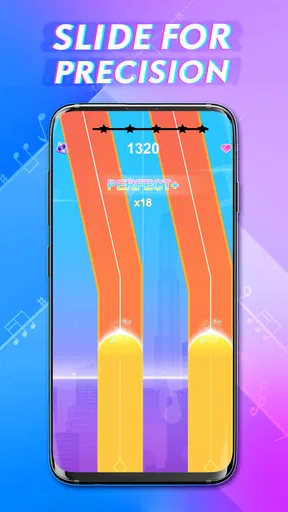
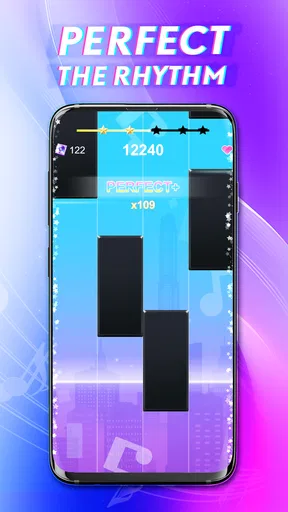
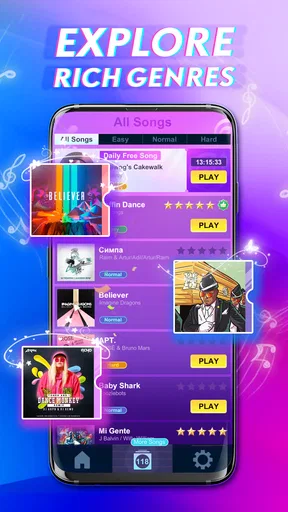
The gameplay is straightforward but oh-so-addictive. You tap the tiles as they glide down your screen in time with the music. It sounds simple, right? But as the speed picks up, you’ll find yourself in a finger-tapping frenzy. What’s cool is that the game offers a diverse range of songs—from classical masterpieces to pop hits—ensuring there’s something for everyone.
One feature I particularly love is the ability to unlock new songs as you progress. It’s like a musical treasure hunt that keeps you coming back for more. Plus, the graphics are vibrant, and the sound quality is top-notch, which makes the whole experience feel incredibly polished.
Challenge Accepted!
If you’re like me and enjoy a good challenge, then you’ll appreciate the various difficulty levels the game offers. You can start off easy, but as you get the hang of it, there are harder levels that really test your reflexes. It’s a great way to keep the gameplay fresh and exciting.
And let’s not forget about the leaderboard. Competing against friends or players from around the world adds a competitive edge that’s both thrilling and motivating. Trust me, you’ll want to keep playing just to see your name climb up those ranks.
Little Extras that Hit the Right Note
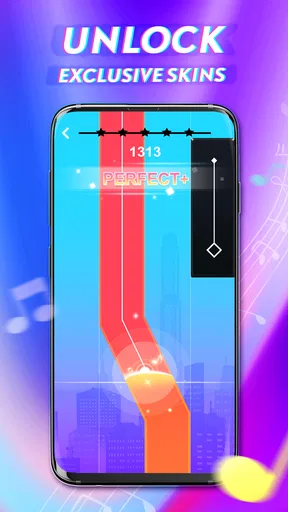
One of the things that make the game stand out is the attention to detail. The developers have thrown in some neat extras, like daily challenges and rewards that give you a reason to check in every day. Plus, there are customizable themes and skins, so you can jazz up the look of your game to suit your style.
Another nifty feature is the offline mode. So, whether you’re on a plane or just out of data, you can keep the music playing without a hitch. It’s little touches like these that show the developers have thought about the user experience from every angle.
Wrapping It Up
In a nutshell, it’s a delightful blend of music and gameplay that’s sure to strike a chord with any music lover. Whether you’re looking to kill some time or just jam out to your favorite tunes, this app has got you covered.
So, if you haven’t tried it yet, what are you waiting for? Grab your phone, download the game, and let the magic begin. Trust me, once you start playing, you won’t want to stop!
Pros
- Intuitive controls make it easy for beginners.
- Wide variety of songs to keep users engaged.
- Visually appealing graphics enhance gameplay.
- Regular updates introduce new features.
- Offline mode available for uninterrupted play.
Cons
- Ads can be intrusive during gameplay.
- Limited song selection without in-app purchases.
- Occasional lag on older devices.
- High battery consumption during extended play.
- Requires constant internet for leaderboard access.
FAQs for Piano Rush: Magic Rhythm
What is Piano Rush: Magic Rhythm?
Piano Rush: Magic Rhythm is a dynamic rhythm game that challenges players to tap tiles in sync with popular music tracks. The app offers a diverse song library, multiple difficulty levels, and engaging gameplay that tests reflexes and musical timing. It's perfect for music enthusiasts and casual gamers alike.
Is Piano Rush: Magic Rhythm free to play?
Yes, Piano Rush: Magic Rhythm is free to download and play. However, it includes in-app purchases that allow players to unlock additional songs, remove ads, or gain other enhancements. While the game is enjoyable without purchases, these options can enrich the gaming experience.
What are the device requirements for Piano Rush: Magic Rhythm?
Piano Rush: Magic Rhythm is available on both Android and iOS platforms. For optimal performance, ensure your device meets the minimum operating system requirements: Android 5.0 or later and iOS 10.0 or later. Adequate storage space and a stable internet connection are also recommended for the best experience.
Does Piano Rush: Magic Rhythm offer multiplayer modes?
Currently, Piano Rush: Magic Rhythm does not offer a traditional multiplayer mode. However, players can challenge friends by sharing high scores or participating in global leaderboards. This feature adds a competitive edge, allowing users to compete for the top spot and showcase their skills.
How often is new content added to Piano Rush: Magic Rhythm?
The developers of Piano Rush: Magic Rhythm regularly update the game with new songs and features. Updates often include seasonal events and limited-time challenges that keep the gameplay fresh and exciting. Players are encouraged to check the app store for the latest updates and enhancements.


